
A zero-dependency web component for visualizing JSON differences
with synchronized scrolling, collapsible nodes, and syntax highlighting
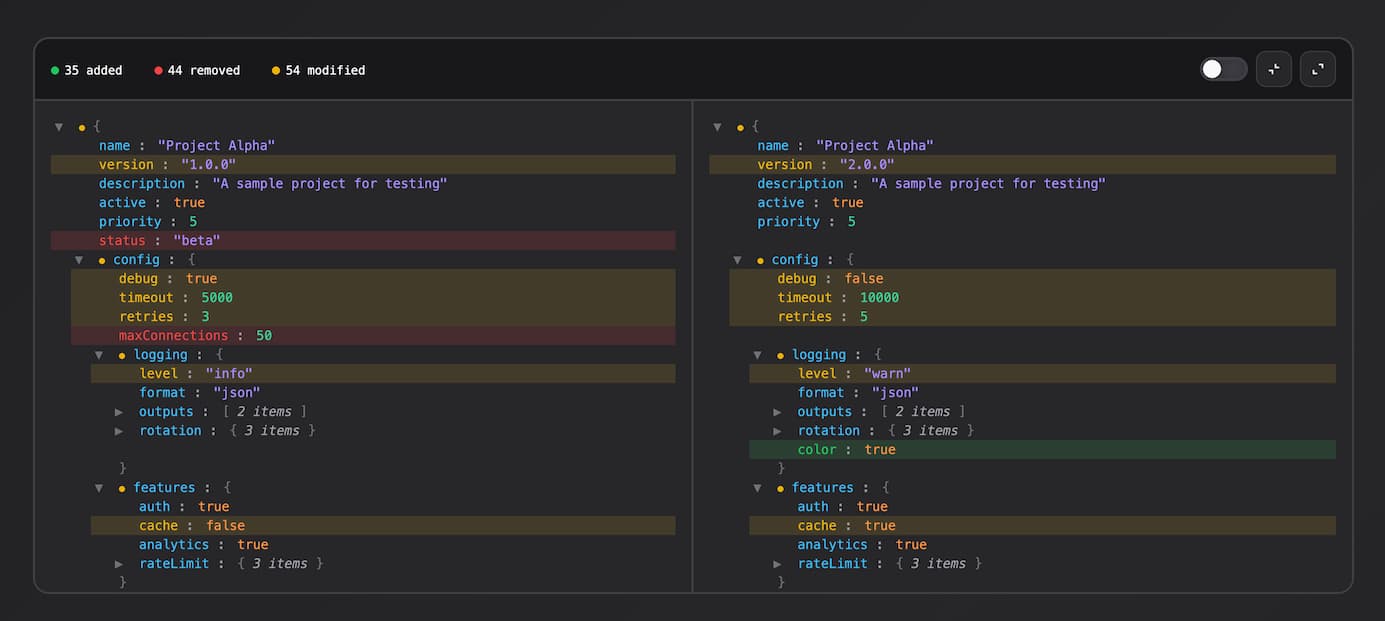
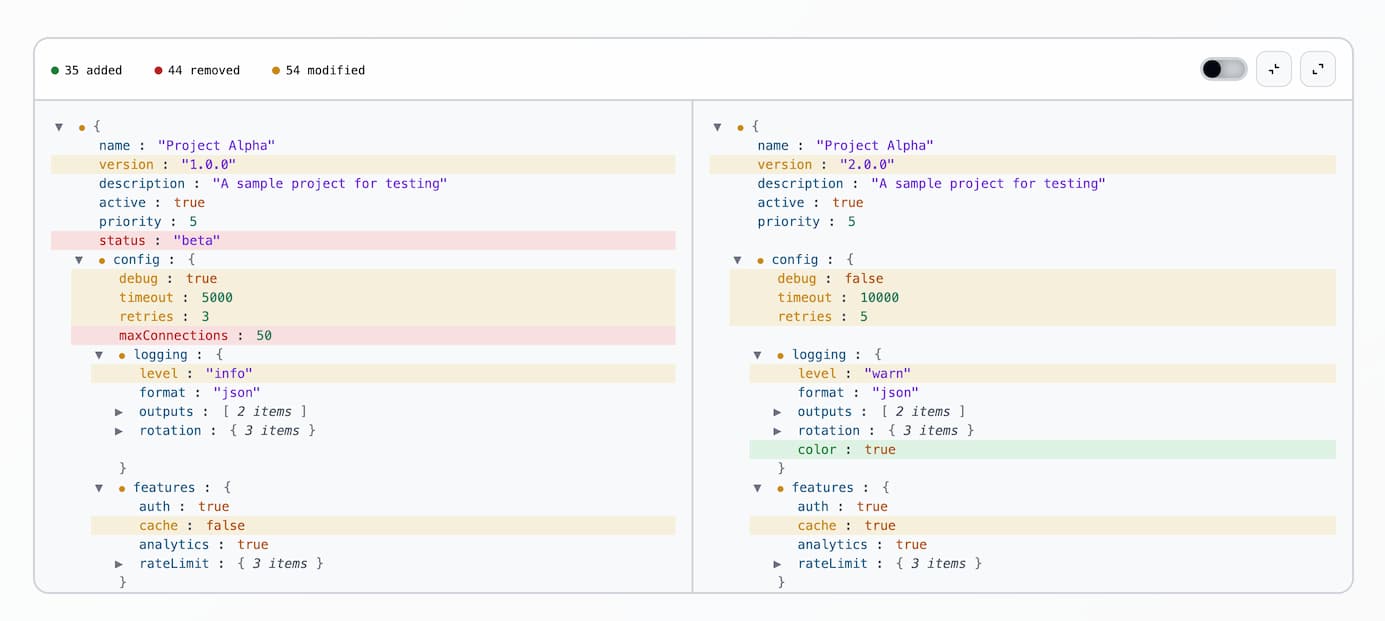
- Nested JSON comparison
- Side-by-side synchronized scrolling
- Collapsible nodes (synced between panels)
- Diff indicators roll up to parent nodes
- Stats summary (added/removed/modified)
- Show only changed filter toggle
- Syntax highlighting
- Zero dependencies
- Shadow DOM encapsulation
npm i json-diff-viewer-componentImport the package to register the <json-diff-viewer> custom element, then call setData() with both JSON values:
import "json-diff-viewer-component";

const viewer = document.querySelector("json-diff-viewer");
viewer.setData(leftObj, rightObj);
For testing or extension, the class is also exported:
import { JsonDiffViewer } from "json-diff-viewer-component";Static JSON can be passed as attributes. Values must be valid JSON strings:
<json-diff-viewer
  left='{"name":"foo"}'
  right='{"name":"bar"}'
></json-diff-viewer>JSON.parseparses attribute values. Invalid JSON throws at parse time.- Prefer
setData()or property setters for dynamic or object data
Set left and right as JavaScript values. Set both before the viewer draws a diff:
viewer.left = { name: "foo" };
viewer.right = { name: "bar" };

viewer.left;  // read current left value
viewer.right; // read current right valueThe component toolbar includes:
- Show only changed: filter toggle (default: on); hides unchanged nodes
- Collapse all / Expand all: bulk expand/collapse
- Node toggles: click any object/array line to expand/collapse (synced across both panels)
Framework Examples
import { useEffect, useRef } from "react";
import "json-diff-viewer-component";

function DiffViewer({ left, right }) {
  const viewerRef = useRef(null);

  useEffect(() => {
    if (viewerRef.current) {
      viewerRef.current.setData(left, right);
    }
  }, [left, right]);

  return <json-diff-viewer ref={viewerRef} />;
}<template>
<json-diff-viewer ref="viewerRef" />
</template>
<script setup>
import { ref, watch } from "vue";
import "json-diff-viewer-component";
const props = defineProps({
left: Object,
right: Object,
});
const viewerRef = ref(null);
watch(
() => [props.left, props.right],
() => {
if (viewerRef.value) {
viewerRef.value.setData(props.left, props.right);
}
},
{ immediate: true },
);
</script>| Type | Color | Description |
|---|---|---|
| Added | Green | Key exists only in right |
| Removed | Red | Key exists only in left |
| Modified | Yellow | Value changed |
Override CSS custom properties (design tokens) on json-diff-viewer. Tokens live on :host; you set them from outside the shadow DOM.
json-diff-viewer {
  /* Diff colors */
  --add: #22c55e; /* Added items */
  --rem: #ef4444; /* Removed items */
  --mod: #eab308; /* Modified items */

  /* Backgrounds */
  --bg: #18181b; /* Main background */
  --bg2: #27272a; /* Panel background */

  /* Borders */
  --bdr: #3f3f46; /* Border color */

  /* Text */
  --txt: #fafafa; /* Primary text */
  --dim: #a1a1aa; /* Dimmed/secondary text */

  /* Controls */
  --slider: var(--bdr); /* Slider toggle active color */

  /* Syntax highlighting */
  --key: #38bdf8; /* Object keys */
  --str: #a78bfa; /* String values */
  --num: #34d399; /* Number values */
  --bool: #fb923c; /* Boolean values */
  --nul: #f472b6; /* Null values */
  --br: #71717a; /* Brackets and braces */
}
Create your own theme by overriding these tokens. For example, a light theme:
json-diff-viewer {
  --add: #15803d;
  --rem: #b91c1c;
  --mod: #ca8a04;
  --bg: #f4f4f4;
  --bg2: #f9fafb;
  --bdr: #d1d5db;
  --txt: #030712;
  --dim: #4b5563;
  --slider: #d1d5db;
  --key: #075985;
  --str: #6d28d9;
  --num: #047857;
  --bool: #b45309;
  --nul: #a21caf;
  --br: #6b7280;
}Set a height to get scrolling. Without one, the viewer grows to fit all content. Default border-radius is 12px.
json-diff-viewer {
  height: 600px;
  border-radius: 16px;
}
For full-height layouts, use flexbox:
.container {
  display: flex;
  flex-direction: column;
  height: 100vh;
}

json-diff-viewer {
  flex: 1;
  min-height: 0;
}npm run dev # start dev server
npm run build # build for production